Note: This article is only for users with Temporary Volunteer accounts. If you are accessing SLU through myBGCA, please reference the help guides from the myBGCA landing page.
If you’ve forgotten your password, follow these steps:
- Go to the login page.
- Click Forgot Password.
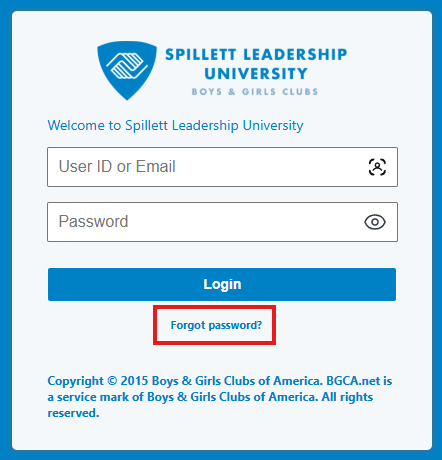
- Enter your registered email address.
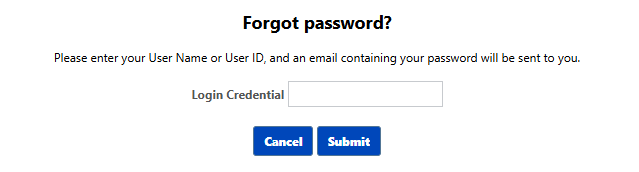
- Check your inbox for the reset link.
- Click the link and create a new password.
Note:
- The reset link may expire - request a new one if needed.
- Check your spam/junk folder if you don’t see the email.
If you continue to experience issues, please contact your system administrator or submit a support ticket.